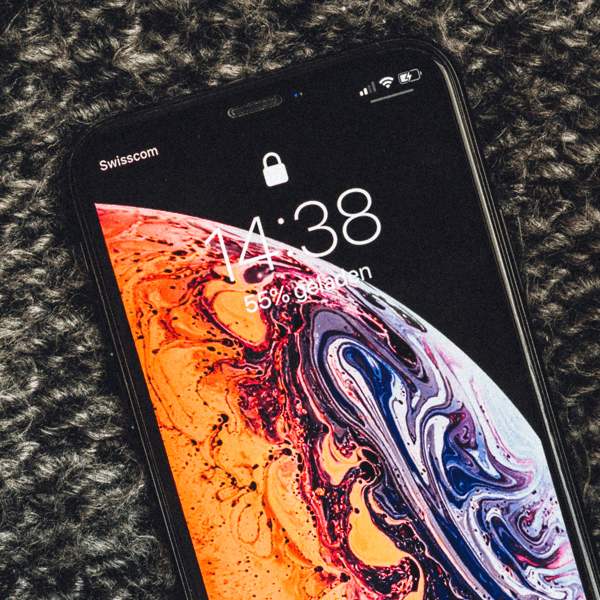
A player who mostly plays on a phone will meet one limit straight away: Pointsbet has no downloadable application, so the whole journey happens in the mobile browser. The usual mistake at this point is to hunt for an install file and give up, or to sign up on a cramped page without checking the details afterwards. Fixing that takes a few minutes and a bit of preparation.
What to Have Ready Before You Register
Gathering the details first keeps the form short and avoids a second pass through the same fields. A calm moment with a stable connection matters more than speed.
- Your full legal name exactly as it appears on your ID. A shortened first name or a nickname will cause a mismatch later.
Use the same spelling on every document you send afterwards. - Your date of birth in the format the form asks for. Enter it once and check the field before moving on.
An error here blocks account verification until support corrects it. - A phone number you actually carry with you. It receives the code used for each pointsbet login.
Keep the number active for as long as you hold the account. - A residential address where you can receive post. The street, number and postcode must match your bank records.
Picking a nearby town to shorten a dropdown creates a mismatch. - A personal email inbox you open regularly. It carries confirmation notes and recovery messages.
An address shared with someone else undermines account security. - Your payment details tied to your own name. Deposits from a third party are refused during checks.
Have the card or account in front of you before you start. - A phone browser updated to its current version. Mobile play runs through pointsbet-au.net in the browser.
Clear old cookies if the page loads slowly.
A prepared player finishes the form in one sitting. Start by opening the site in the phone browser and choosing the sign-up option. Fill in the name fields exactly as printed on your ID. Enter the birth date without relying on autofill. Add the mobile number and wait for the code. Type the code into the field before it expires. Choose a password you do not use anywhere else. Write it into a password manager rather than a note on the home screen. Confirm the email by opening the message that arrives. Read the welcome page once the account exists. Set the deposit amount deliberately instead of tapping the first preset. Complete the deposit so the account is no longer empty. Save the support address somewhere outside the browser. The whole sequence is shorter than the time spent searching for a download. A player who prepares the documents first never has to redo the form.
Licence, SSL and Identity Checks
Three things protect a player’s money and data: a valid licence, an encrypted connection and a verified identity. None of them is visible on the screen during play, so knowing how each works helps you act when something looks off.
- The operating licence ties the site to a regulator with public rules. Those rules cover how balances are held and how complaints are handled.
A licensed operator answers to an authority outside its own company. - The SSL certificate encrypts the connection between your phone and the site. The padlock in the address bar shows the session is secure.
Never type your password when the padlock is missing. - KYC means the operator confirms who you are before paying out. A photo of your ID and a recent utility bill are the usual documents.
The check happens once and then sits on file. - Name matching links your account to your bank details. The same spelling must appear on the ID, the payment method and the account.
A middle name left out of one place is enough to stall a check. - Age confirmation follows from the ID you submit. It is part of the same process rather than a separate step.
Accounts cannot be funded before this point. - Source of funds questions can follow a large deposit. The operator asks where the money came from and expects a plain answer.
Bank statements usually settle the matter. - Account security sits with you once verification is done. A unique password and a locked phone screen cover most risks.
Skip password reuse across sites.
A licence tells you which regulator stands behind the operator. That regulator publishes rules on how player money is separated from company funds. It also sets out how a dispute escalates if support and the operator cannot agree. The SSL layer protects the data you type, including card numbers and passwords. Look for the padlock on every page where you enter personal details. The KYC stage feels intrusive to some players, yet it protects the account from being used by someone else. Documents are usually requested at withdrawal rather than at sign-up. Sending them early shortens the wait when you first cash out. A clear photo taken in daylight passes far more often than a blurry scan. Name changes after marriage need a supporting document. The check is a one-time hurdle, not a recurring chore. Players who plan a withdrawal in advance rarely meet a surprise here.
Loyalty Points and Reward Tiers
Loyalty schemes reward repeat play with points that convert into benefits. The structure below describes how such a program works for the player, from earning through to spending.
Points accumulate as you place qualifying bets. Not every market counts toward the total, and the ones that do are marked in the loyalty area. The rate per bet stays modest at the start. A player who bets occasionally still builds a balance over months.
Tiers group players by their points total. Each tier opens at a set threshold and brings its own set of rewards. Moving up happens automatically once the threshold is crossed. A tier never drops mid-period because of a slow week.
Rewards at the lower tiers tend to be small: a free bet here, a deposit boost there. Mid tiers add entries into prize draws and occasional bonus credit. The value grows with the tier rather than with a single large bet.
Higher tiers bring perks that are harder to price, such as a named contact for support. Some programs offer event invitations or merchandise alongside account credit. These rewards are personal and often limited in number. The program pages list what is live at any moment.
Points usually expire after a period of inactivity. A short bet every so often keeps the balance alive. Read the expiry rule once so a lapsed balance does not surprise you. Set a reminder if you plan a long break.
Converting points is a separate action from earning them. Some programs turn points into credit automatically; others need a request. Do the conversion before a withdrawal so the credit is part of the balance. Mixing the two can send a payout back for review.
Playing through the phone browser keeps the loyalty balance in the same account as desktop play. No separate enrolment is needed for mobile. The points area sits inside the account menu on a small screen. Check the total before you convert so the figures agree.
Pending Withdrawal: Steps to Take
A withdrawal that sits in pending status is usually waiting on a check rather than lost. Work through these steps in order and keep a note of each one.
- Open the transaction history and read the status line. Pending means the request is logged but not yet sent.
Write down the reference number shown beside it. - Check that your identity documents are approved. An unverified account holds every payout at this stage.
Upload anything missing from the documents area. - Confirm the payout method matches your deposit method. A mismatch sends the request back to the queue.
Use the same account you funded with. - Clear any open bonus requirement. Credit tied to a promotion keeps the balance locked until play is complete.
The bonus page shows what is still outstanding. - Allow the normal review window to pass before you contact anyone. Most requests clear on their own within that period.
Note the date you submitted the request. - Contact support through live chat with the reference number ready. Ask for the specific reason the request is pending.
Keep the chat transcript or the email reply. - Escalate to the regulator only after support has given a final answer. The licence authority handles unresolved disputes.
Attach the full correspondence to that complaint.
A pending withdrawal on a phone is easy to miss because notifications are silent. Open the history yourself rather than waiting for a message. The first review after a long break often takes longer than later ones. A first-time payout always draws a full identity check. A large win can also trigger a source of funds question. Answer it with a document rather than a description. Never cancel a pending request to «speed it up»; cancelling returns the money to your balance and resets the queue. If you do cancel by mistake, submit a fresh request and note the new reference. Support can see both entries and will confirm which one is live. A calm, factual message gets a faster answer than a repeated one. Keep every step inside the account so the record stays complete.
Common Problems and Their Fixes
Most issues at sign-up and payout have a plain cause and a plain fix. The list below covers what players report most often and what to do about each.
- The login code never arrives. Check the number on file and request a new code once.
Turn off any call blocker that filters unknown senders. - The password is rejected on every attempt. Use the recovery link sent to your email instead of guessing again.
Repeated failures can lock the account for a while. - The page freezes on a phone. Clear the browser cache and reload the sign-up page.
Switch from a private tab to a normal one. - Documents are refused without a clear reason. Retake the photo in daylight with all four corners visible.
Send a utility bill dated within the last few months. - A deposit does not appear in the balance. Wait for the confirmation, then check the transaction history for a failed entry.
Contact support with the payment reference if it stays missing. - A bonus cannot be withdrawn. Open the bonus area and read which requirement is still open.
Finish the remaining play before requesting a payout. - The account is locked after several failed logins. Use the recovery option or ask support to unlock it.
Have your ID ready when you make that request.
Phone browsers add their own quirks to these problems. Safari and Chrome both keep old page data that can break a form. Clearing site data for the single domain is safer than wiping the whole browser. Autofill is another common culprit: it can drop a saved address into the wrong field. Type the address by hand once and save the corrected version. Screenshots help support more than a description does. Capture the error message and the page address in one image. Support replies usually arrive by email, so keep that inbox open. Do not open several tickets about the same issue; it slows the queue. If a fix works, note what you changed so the next problem is quicker. Most of these issues come from data rather than from the site itself. A minute of checking beats an hour of retrying.
Using the Site on a Phone Browser
Mobile play runs entirely in the browser, so the settings on your phone shape the experience. A few habits keep sessions smooth without an install.
Add the site to your home screen as a bookmark. It opens in one tap and keeps the address correct. This shortcut is a link, not a separate application. Nothing downloads to your storage.
Keep the browser updated through your phone’s normal update channel. Older versions handle login forms and pop-ups less well. A current browser also holds a stronger SSL handshake. Check the padlock on the login page after each update.
Log out when you finish a session on a shared phone. The session can otherwise stay open in a background tab. Closing the tab alone is not always enough. Use the logout option inside the account menu.
Turn the screen to landscape for tables with many columns. Rows and odds spread out and taps land more accurately. Portrait suits the cashier and account pages. Adjust the text size in the browser if small print is hard to read.
A stable connection matters more than a fast one. Dropped signals during a deposit can leave a request half finished. Wait for the confirmation screen before you close the tab. Reopen the history to confirm the entry is there.
Answers to Common Player Questions
Do I need to download anything to play?
No. Pointsbet runs in the phone browser, so nothing is installed and no storage is used. Open the site, log in and play from the same page. Bookmarking the address gives you the one-tap access a download would.
Why does the site ask for documents?
The identity check confirms that the account holder and the person withdrawing are the same. It is a licensing requirement rather than a choice for the operator. Send a clear photo of your ID and a recent bill. Approval then stays on file for future payouts.
How do I recover a forgotten password?
Use the recovery link on the pointsbet login page and send it to your email. Open the message on the same device and set a new password. Choose one you have not used on another site. If the email does not arrive, check the spam folder before contacting support.
Can I change the phone number on my account?
Yes, through the account settings or with support. A new number must be confirmed by a code before it takes over. Until then the old number keeps receiving login codes. Make the change before you travel or switch providers.
What happens to loyalty points when I stop playing?
Points expire after a stretch of inactivity. A small bet now and then keeps the balance alive. Convert the points before a long break so the value is not lost. The loyalty area shows the current total and any expiry.
Why is my withdrawal still pending?
Most requests wait on a routine review or an open document check. A bonus requirement or a method mismatch can also hold the payout. Read the status line and the bonus page before you contact anyone. Support can name the exact reason once you give the reference number.
Open the site in your phone browser and run through the checklist once before you fill in the form. Keep the reference number of your first withdrawal in a note until the money lands.